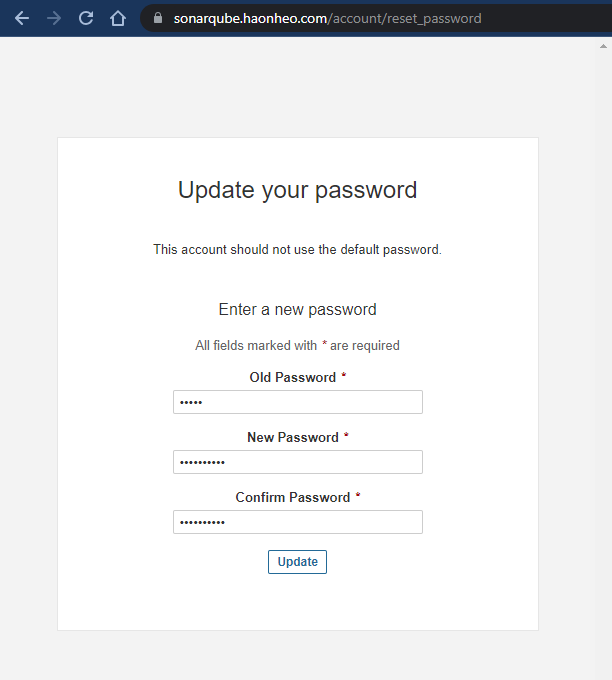
Sau khi cài xong vào lần đầu qua localhost:9000 sẽ yêu cầu đổi pass (bạn nên trỏ domains để sau này tích hợp được vào gitlab cicd)
đổi pass
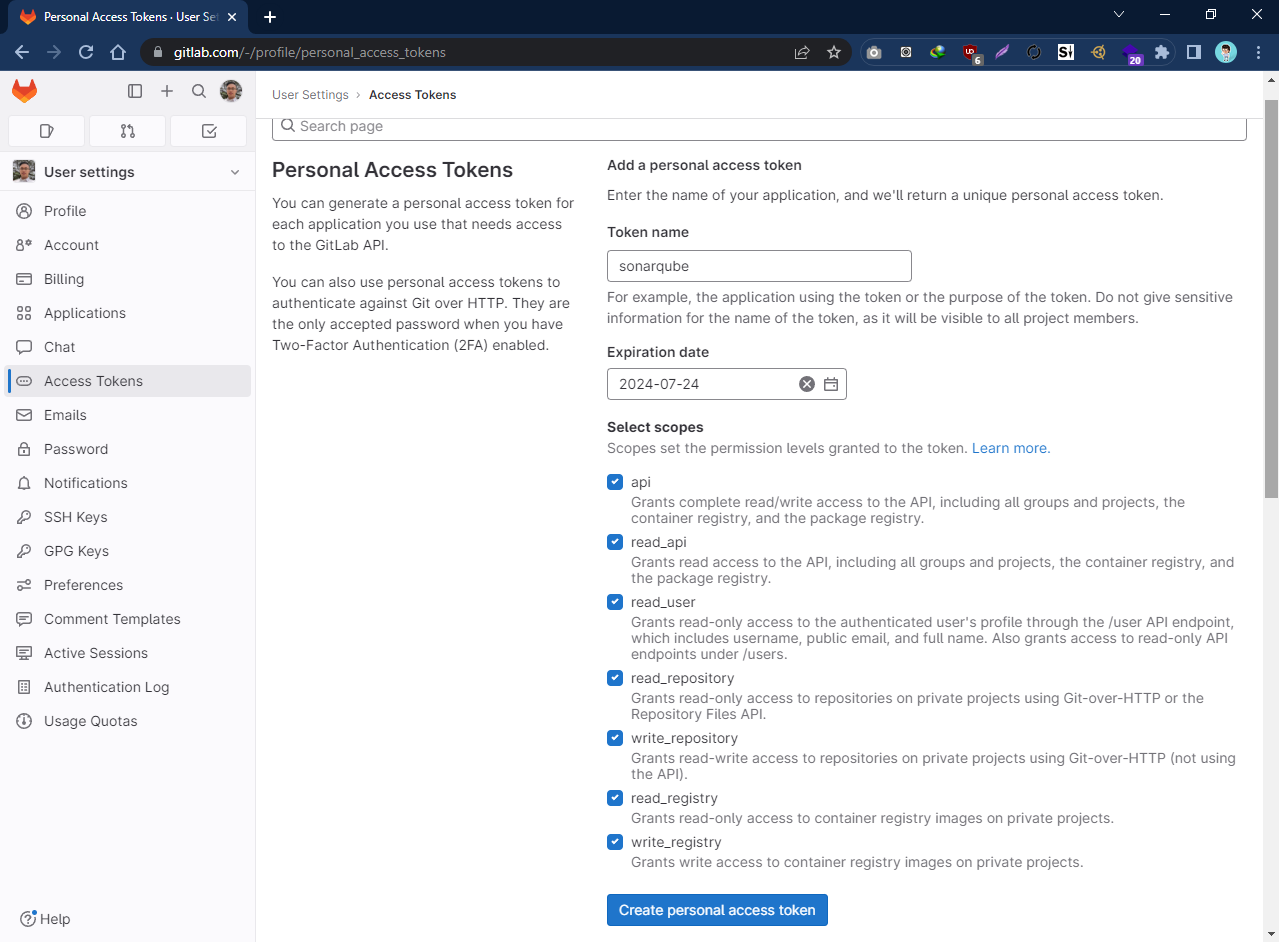
Tạo access token ở gitlab để tí điền vào sonarqube
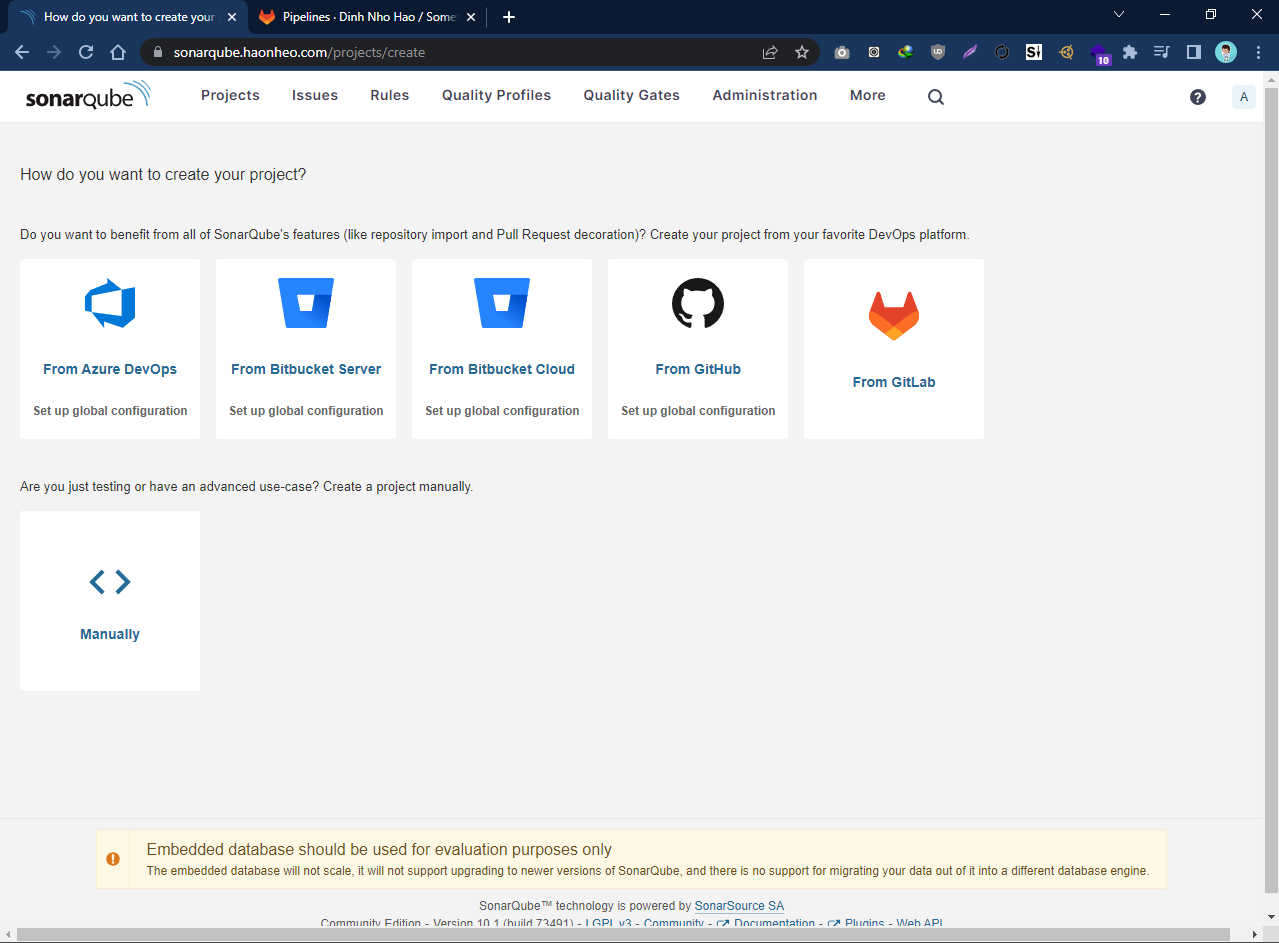
Tích hợp gitlab repo vào sonarqube
Chọn From Gitlab
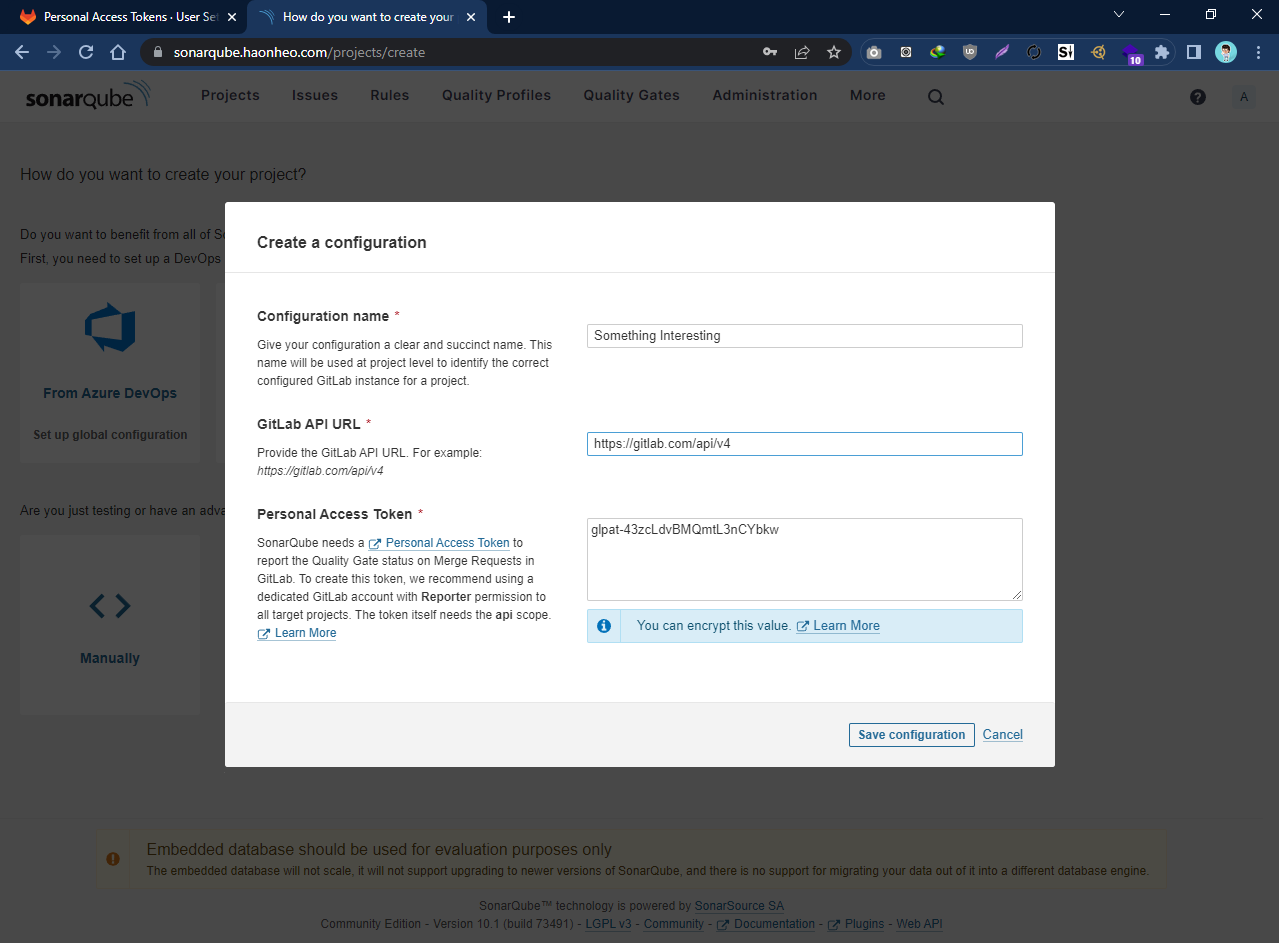
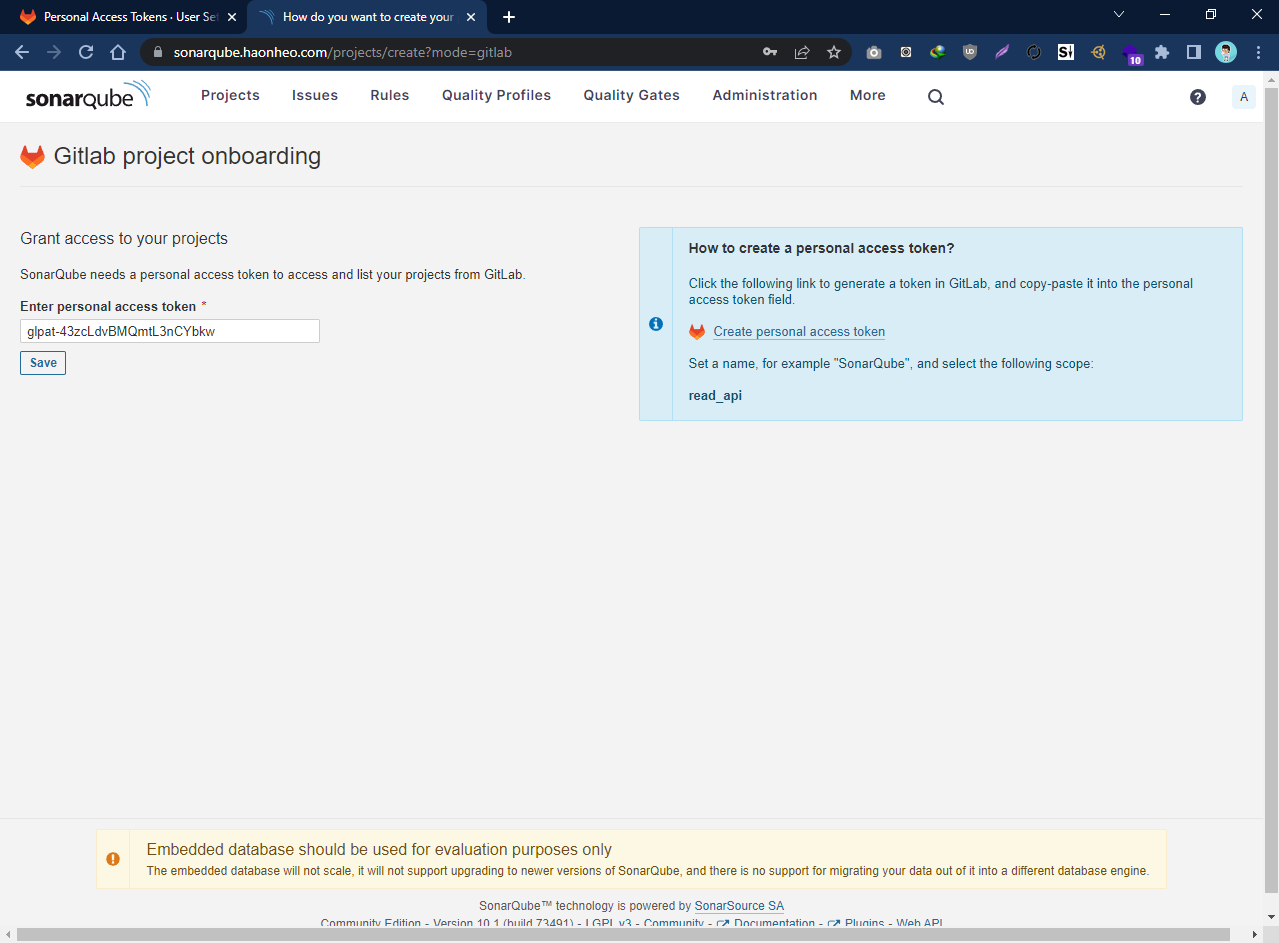
Điền thông tin gitlab của bạn
điền accesstoken thêm lần nữa
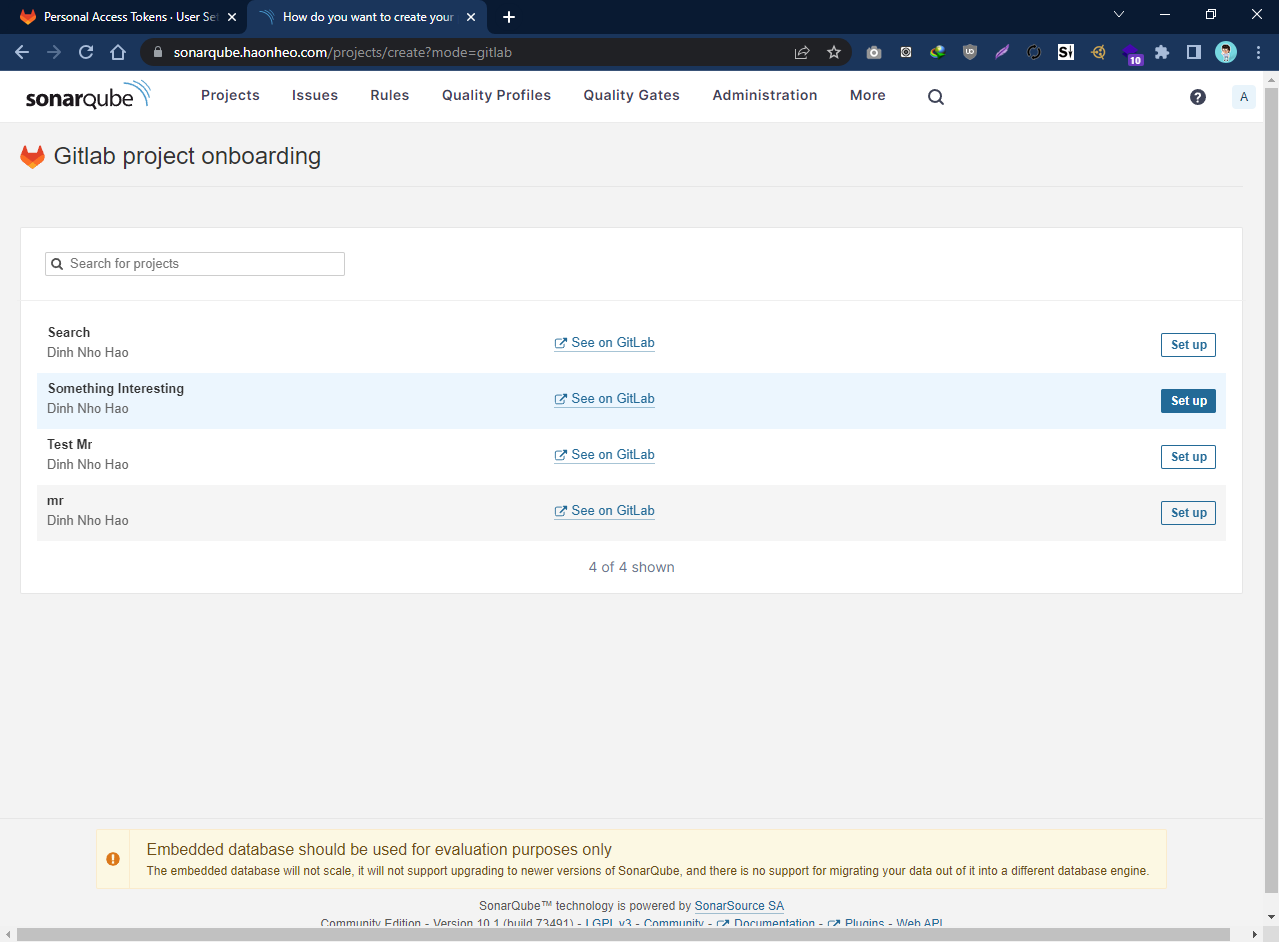
Chọn repo để sepup và nhấn set up ở bên phải
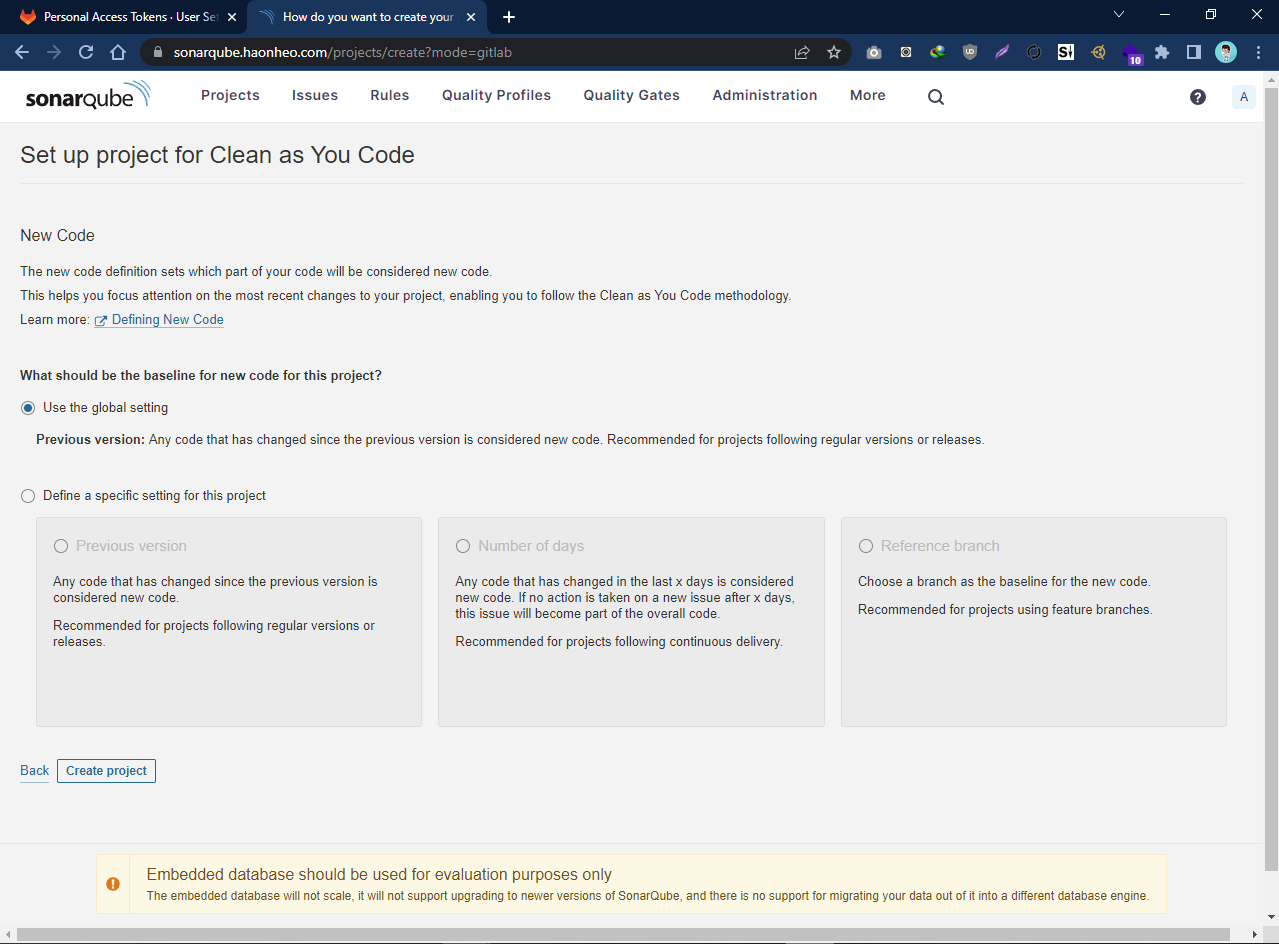
Chọn định nghĩa code mới của bạn. Bạn có thể chọn định nghĩa là code được thay đổi so với lần trước, code thay đổi so với x ngày hoặc code mới là code thay đổi so với branch nào đó. Tôi chọn default.
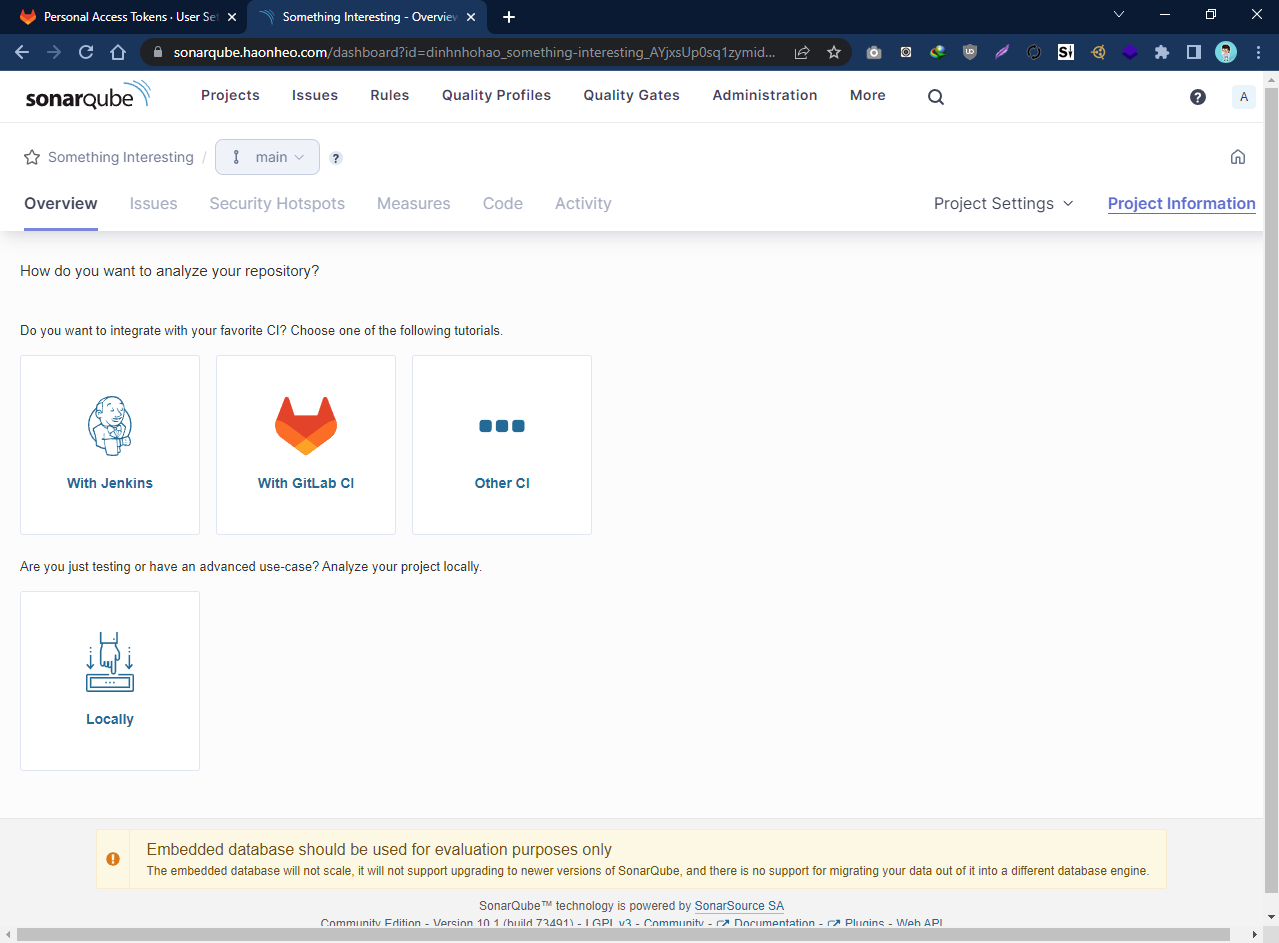
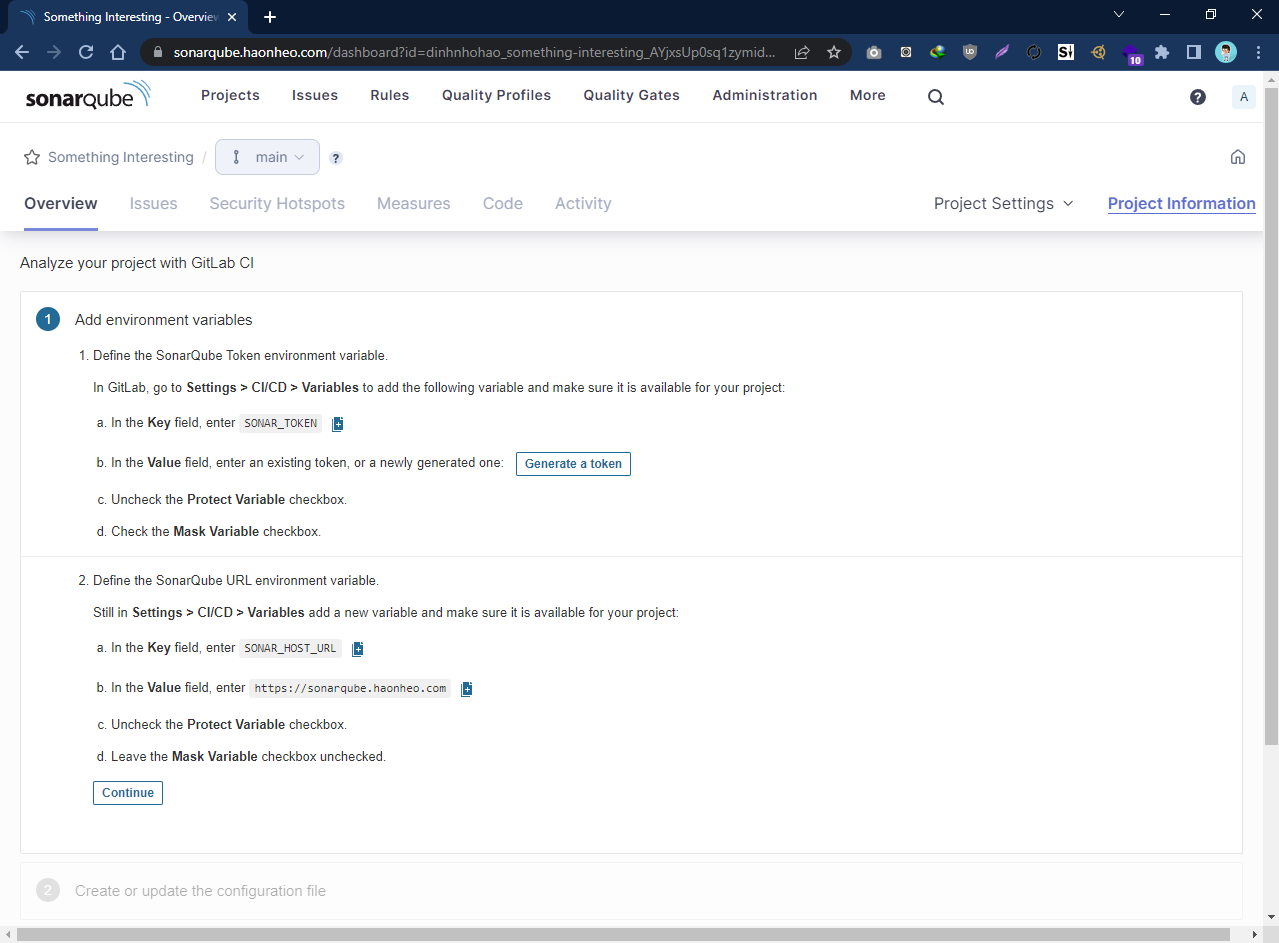
Chọn With Gitlab CI
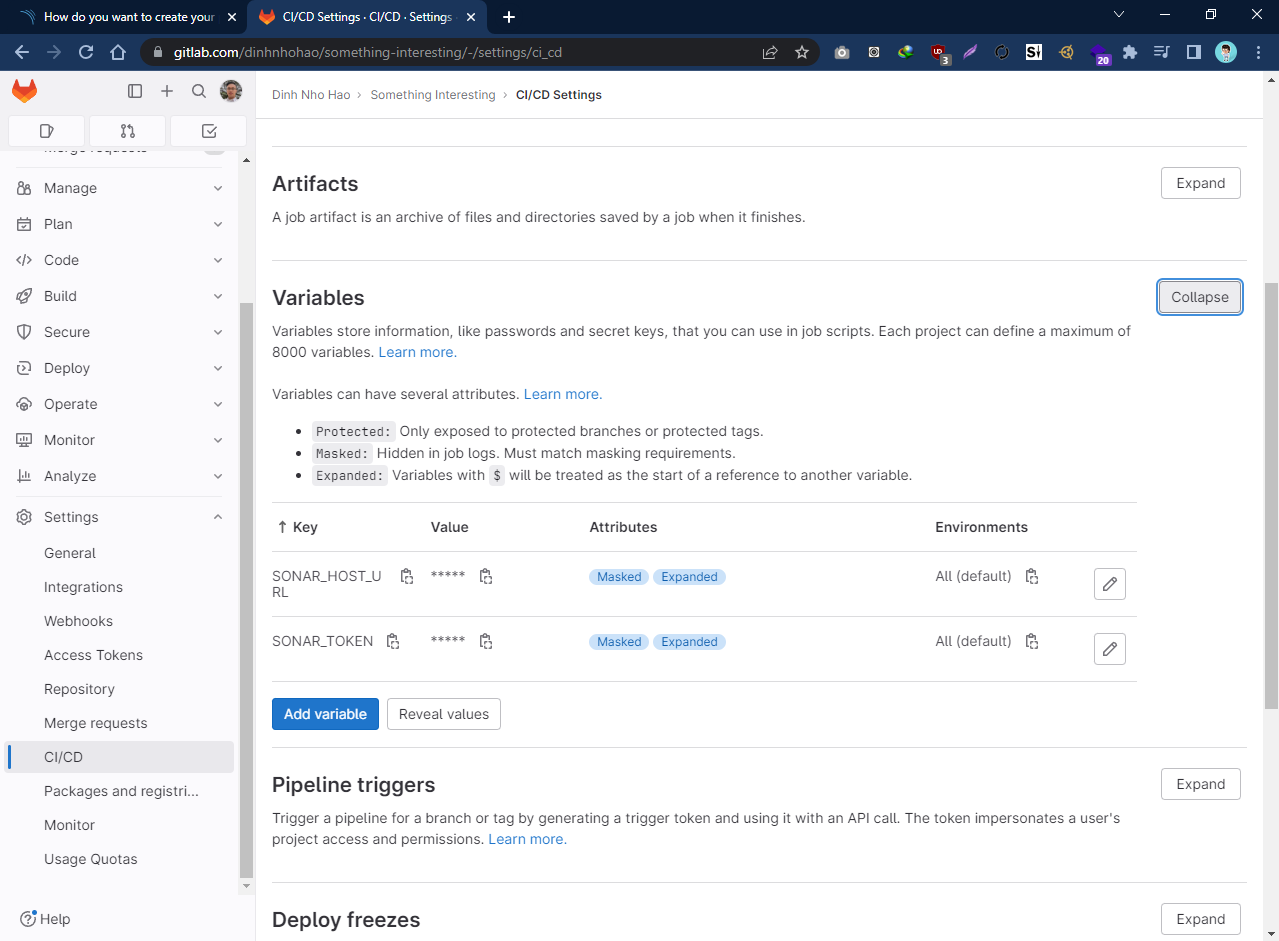
Làm theo hướng dẫn để setup gitlab ci nói chuyện được với sonarqube của bạn
Làm theo hướng dẫn này
Kết quả
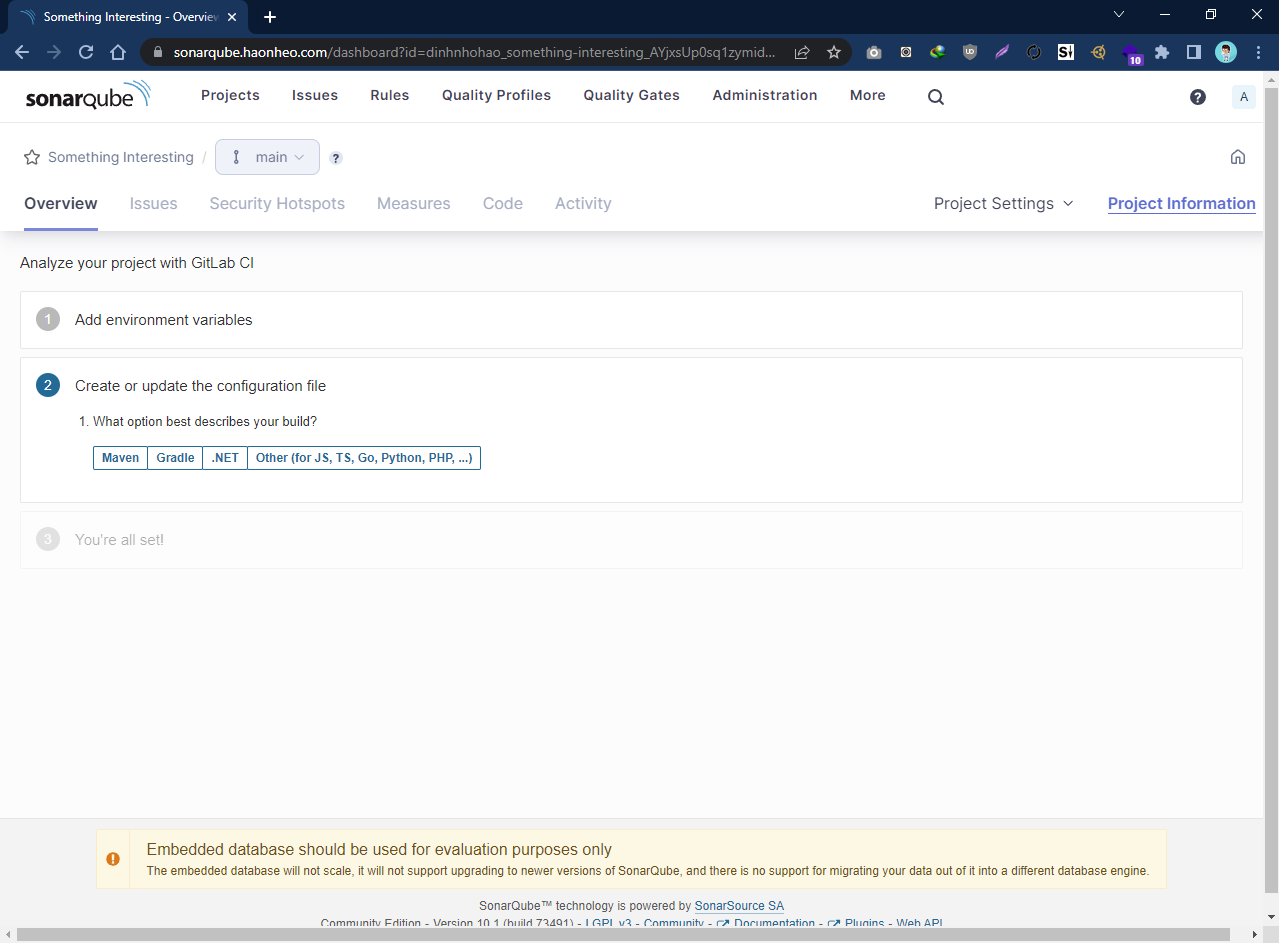
Chọn ngôn ngữ của project. Ở đây test tôi viết 1 script bé bé bằng Javascript nên tôi chọn mục cuối
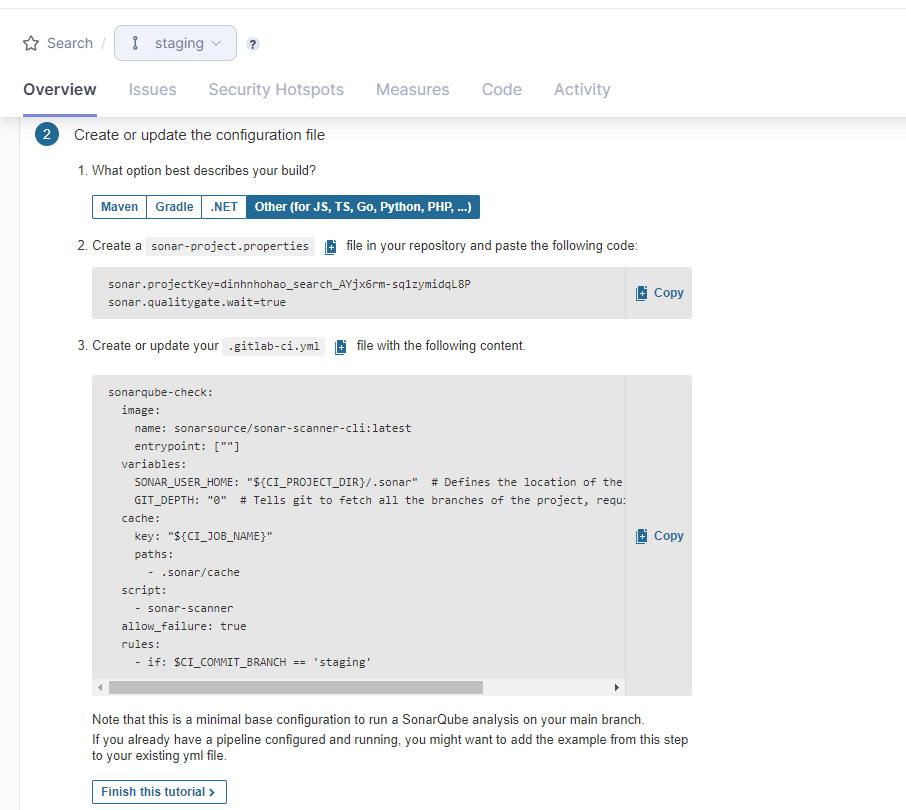
Tạo file sonar-project.properties như hướng dẫn ở thư mục gốc project
Thêm stage ở file .gitlab-ci.yml cho sonarqube như sau và push. Stage registry-job vốn từ bài trước, tôi muốn nếu pass sonarqube mới cho build docker.
stages:
  - sonarqube-check
  - push-to-registry
sonarqube-check:
  stage: sonarqube-check
  image:
    name: sonarsource/sonar-scanner-cli:latest
    entrypoint: [""]
  variables:
    SONAR_USER_HOME: "${CI_PROJECT_DIR}/.sonar" # Defines the location of the analysis task cache
    GIT_DEPTH: "0" # Tells git to fetch all the branches of the project, required by the analysis task
  cache:
    key: "${CI_JOB_NAME}"
    paths:
      - .sonar/cache
  script:
    - sonar-scanner
  allow_failure: false # if true it pass all the time
  rules:
    - if: $CI_COMMIT_BRANCH == 'main' # Only main branch
registry-job:
  stage: push-to-registry
  image: docker:latest
  services:
    - docker:18-dind
  script:
    - docker build -t <DOCKER_REPO>:latest .
    - docker push <DOCKER_REPO>:latest
  only:
    - main
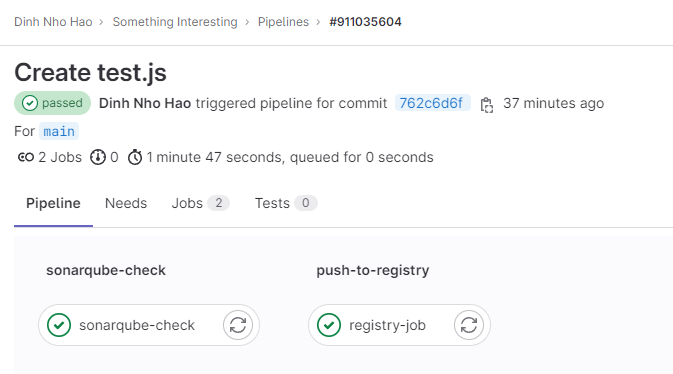
Thành quả push sau khi update.
Test xem có đúng code thối nó không cho pass không.
Tôi tạo 1 file test.js với nội dung như sau
let let_me_failed = "";
let let_me_failed = "";
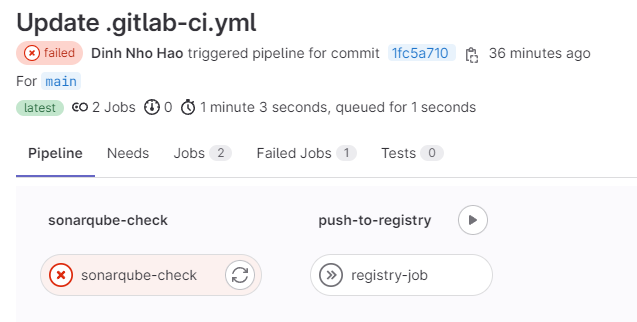
Push luôn sẽ nhận được quả fail như sau
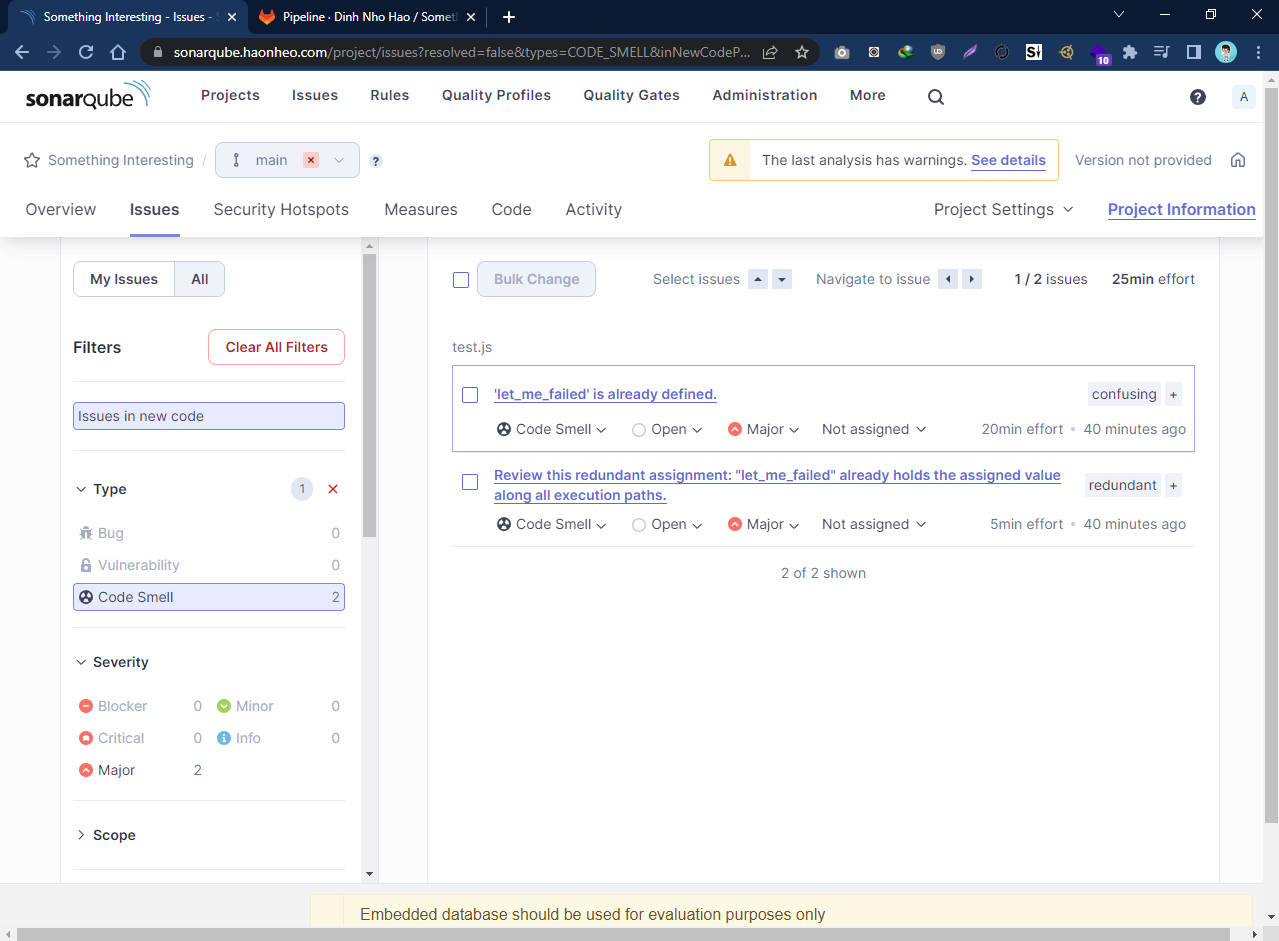
Lên web check sẽ thấy ngay vì sao Sonarqube không cho pass